
Setting up a welcome flow
Set up your welcome flow by clicking Automations → Create new automation → Create flow.
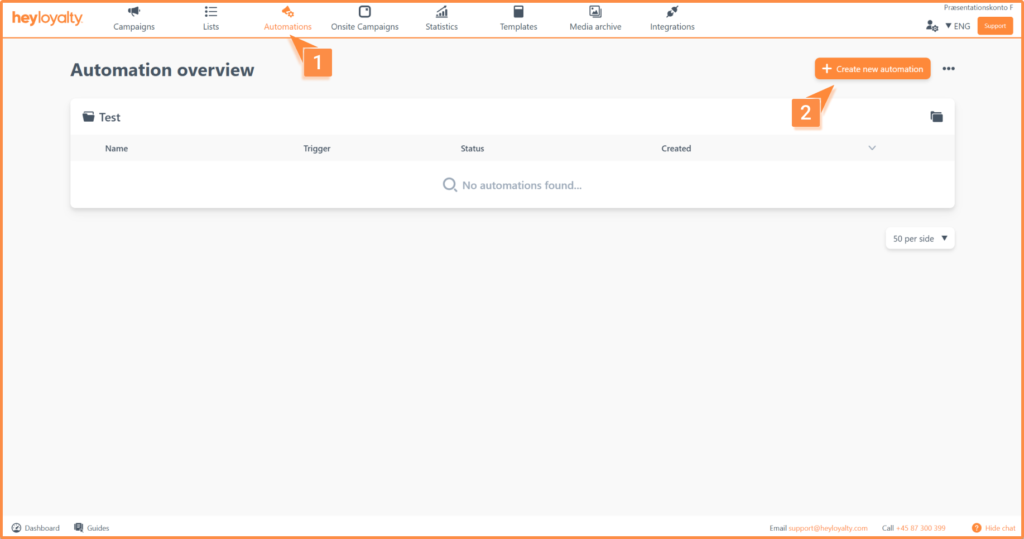
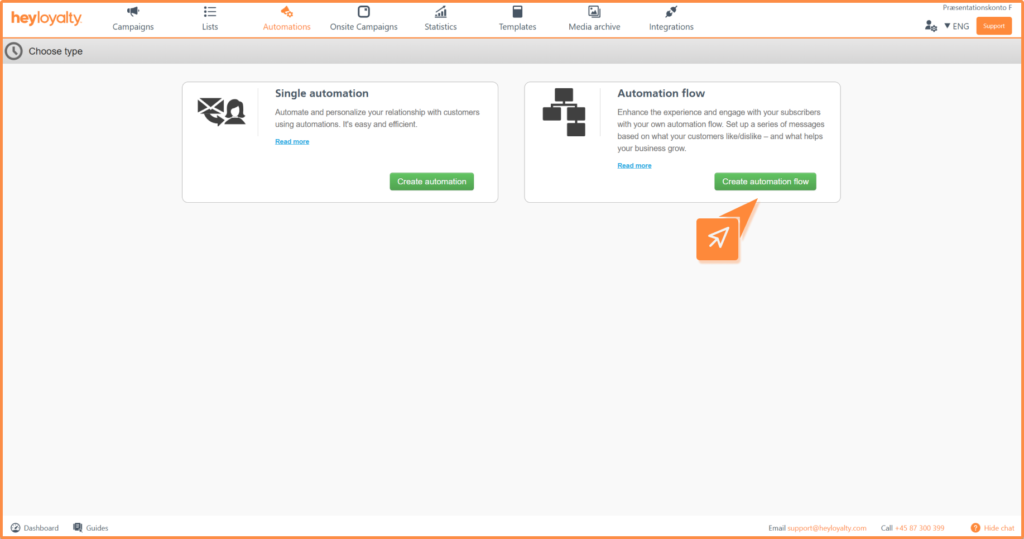
Name your flow and select the list in question.
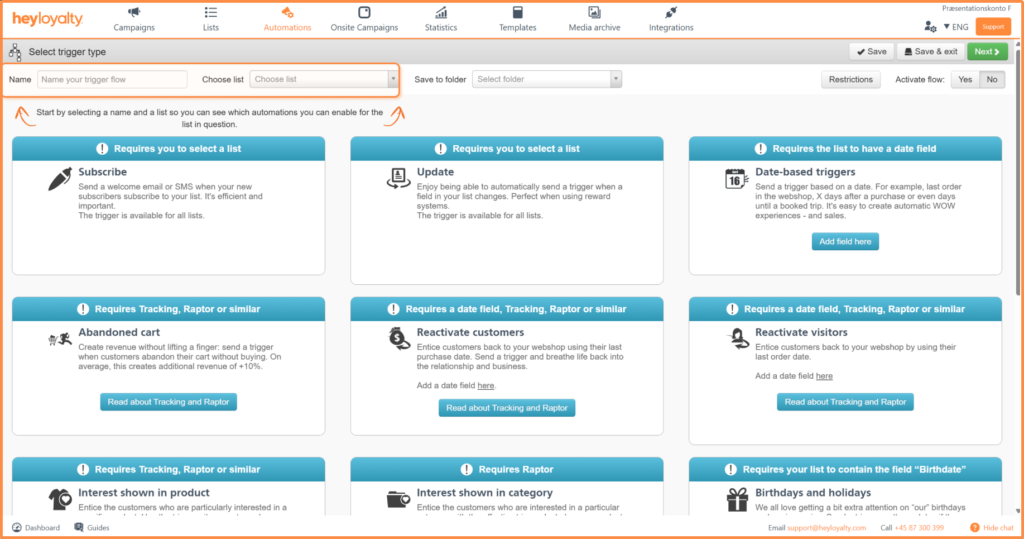
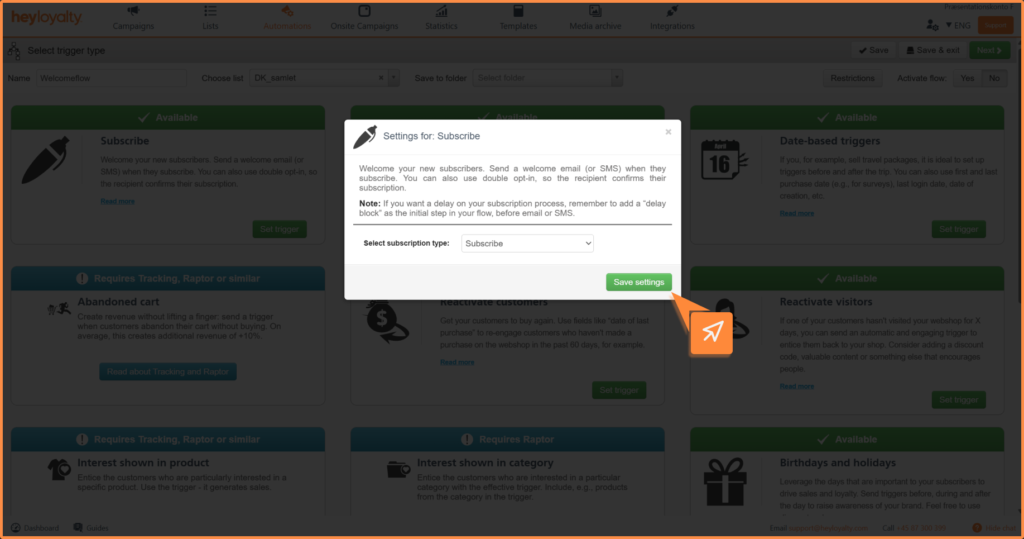
Select the Subscribe trigger and click Set Trigger. In the pop-up that follows, make sure that Select subscription type is still set to Subscribe, and then click Save settings. Click Next.
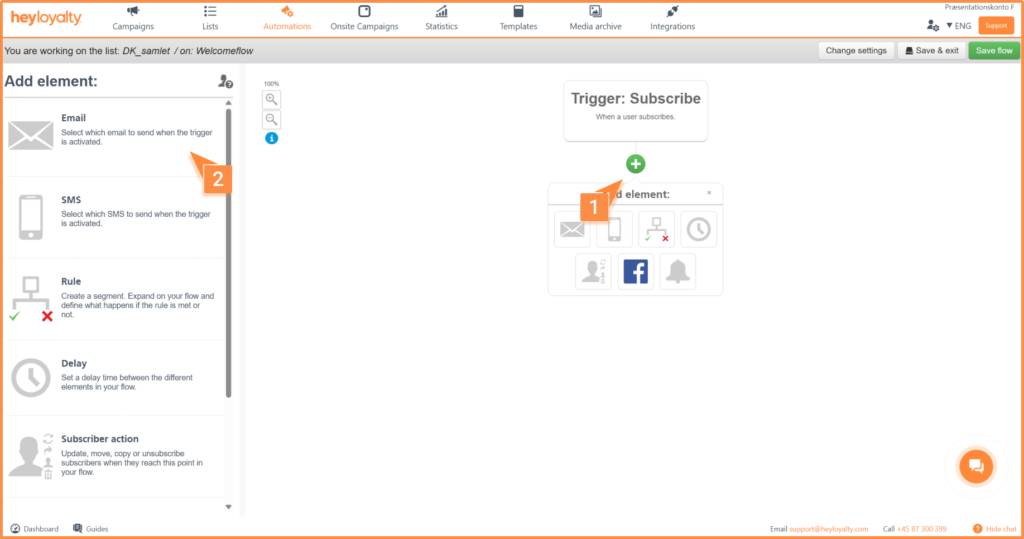
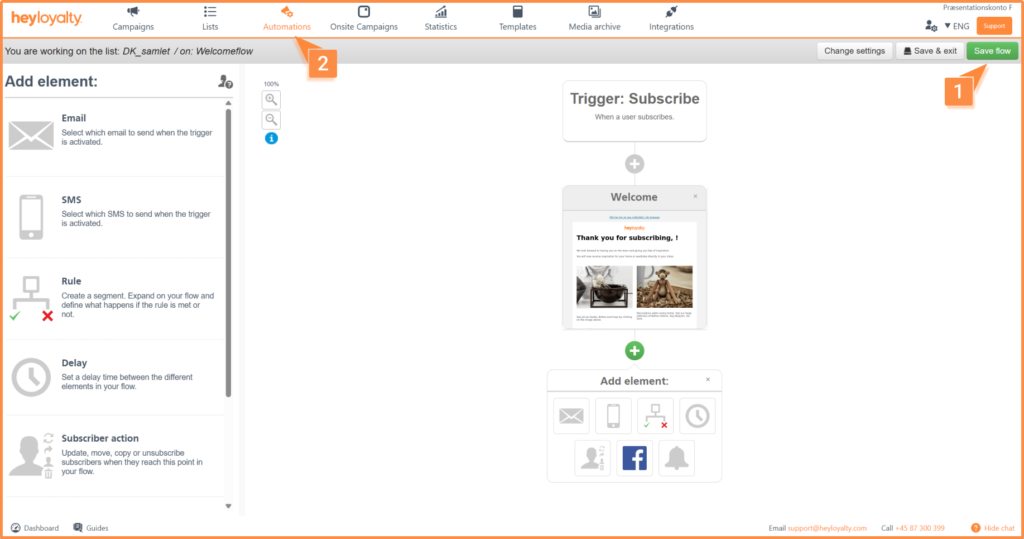
You will now see an empty flow. Start building your flow by clicking + and inserting the desired element, which in this case is Email.
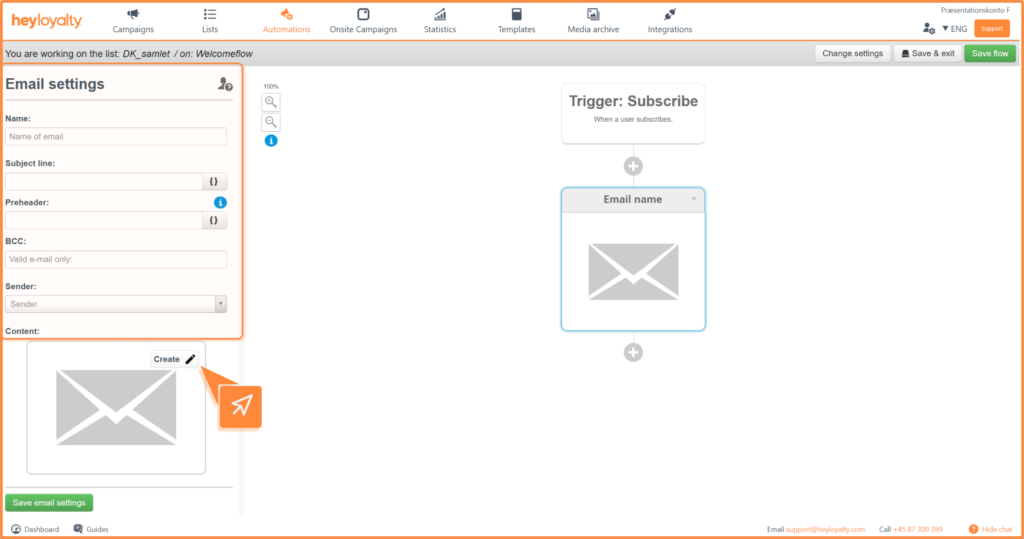
Fill in the information and click Create.
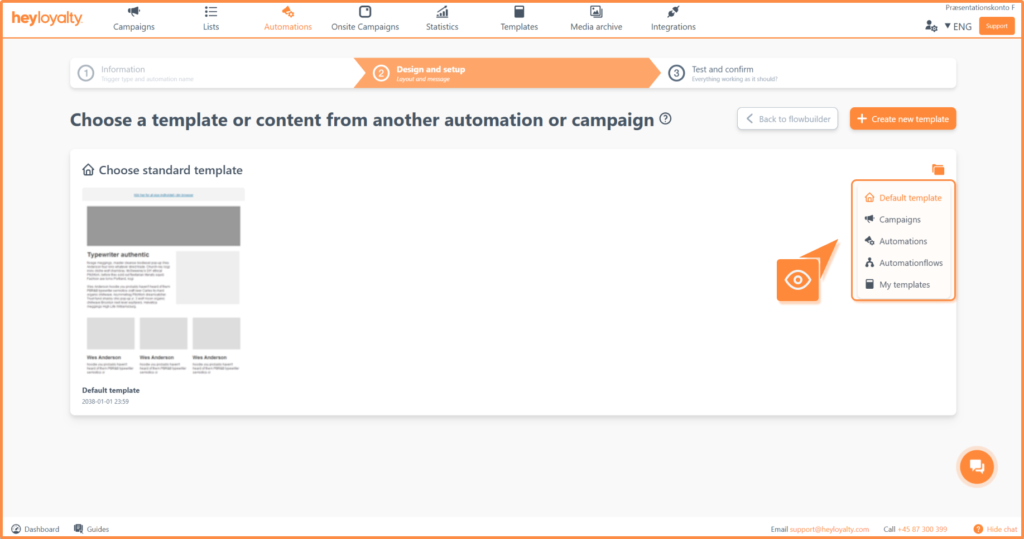
Choose the desired email template and design your email.
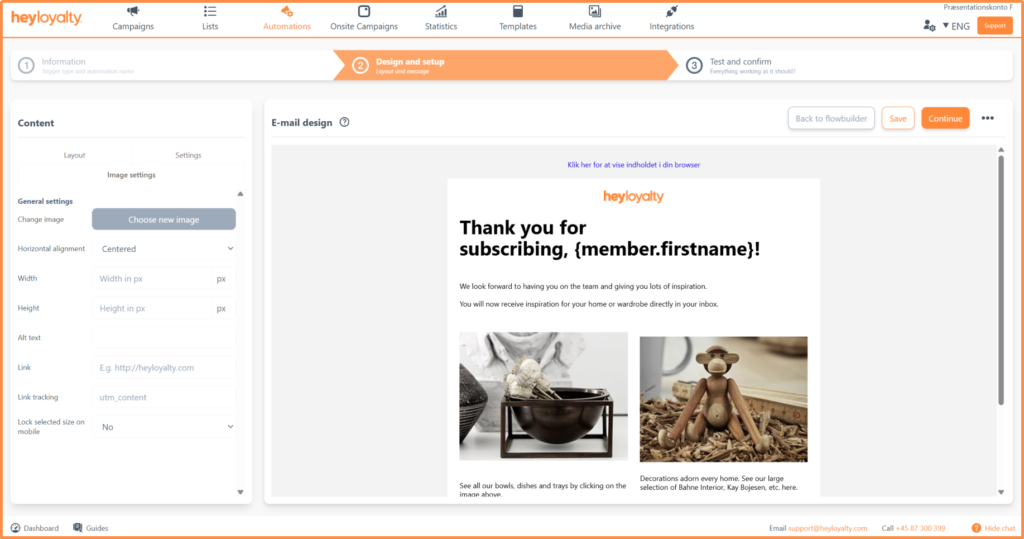
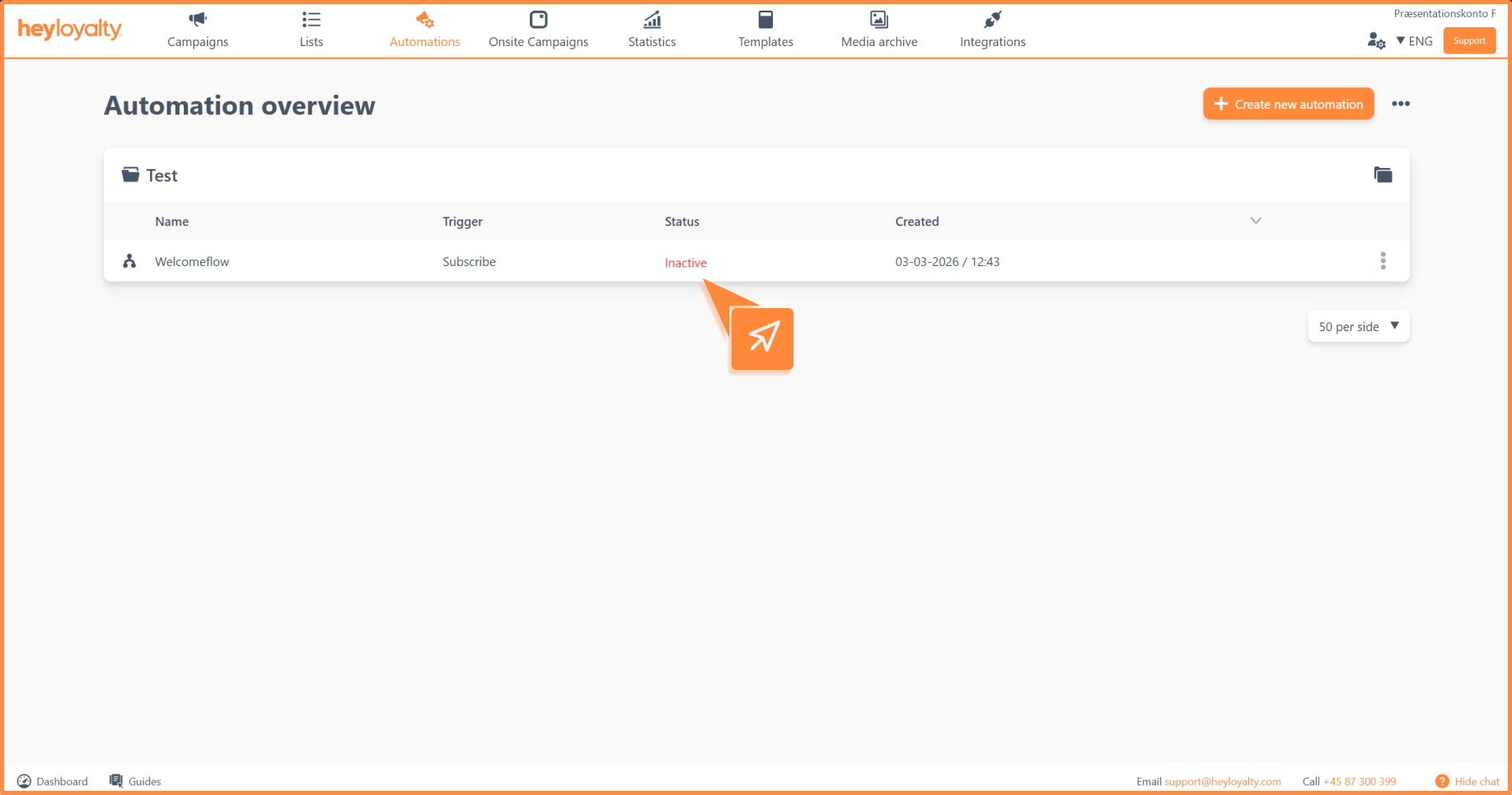
After you’ve designed your email and saved your flow, you can activate the flow by clicking Inactive in the Status column of your automation dashboard.
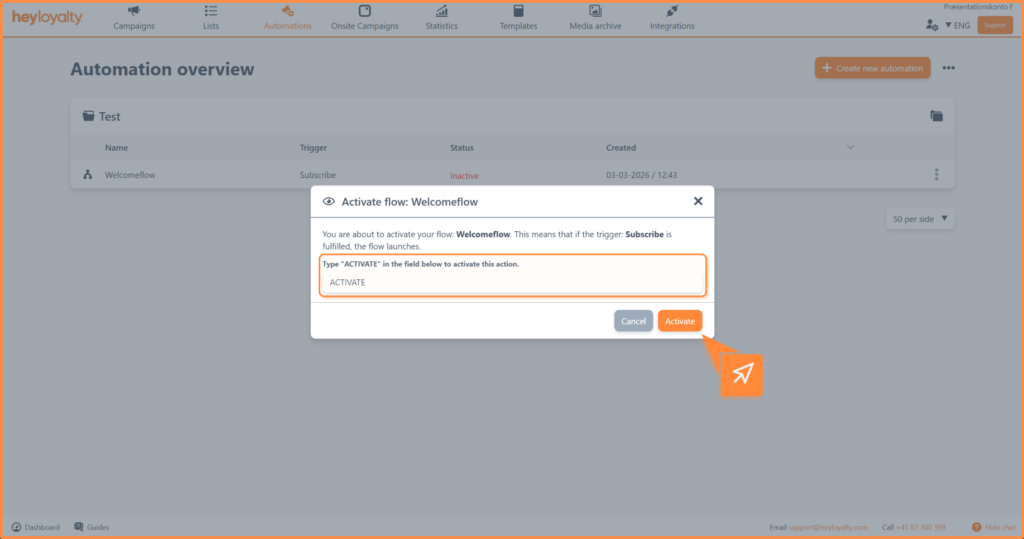
Type Activate in the box and click Activate.

If you need information or help that you cannot find here on the guide site, you are always welcome to contact our support!
support@heyloyalty.com